
Hi, I’m Greg, co-founder of veryprivategallery. I started building art-related websites while studying for my MFA, in a French village with more than 30 art galleries (hint: the second most touristic village in France). Working directly with them taught me about their needs and the challenges of communicating art online using SEO.
While traveling, I continued to share my own projects online and to work more closely with a smaller number of galleries. Back in France, I focused on working with a single gallery while being its art dealer. I later worked for art fairs before starting Very Private Gallery with my partner.
SEO has stayed with me because I believe it gives artists more control over how their work is discovered. It can help you reach people and build an audience around your website.
AI has made tools and information easier to access, but standing out is even more difficult and still takes a patience and real work. I’ve put a lot of work into this guide, bringing together what I’ve learned to help you artists make your dent on the web.
Why SEO for artists matters
Search engine optimization (SEO) can be a very sustainable strategy for independent artists and art businesses. Unlike social media platforms, where posts disappear within hours, a well-optimized artist website builds traffic over time.
We will see below the tips grouped into 3 kinds: Technical in blue, Content in yellow, and Network in red:
Articles about SEO:
- Art keywords
- Artist websites backlinks
- Content for artist websites
- Art website name ideas
- SEO tips for artists
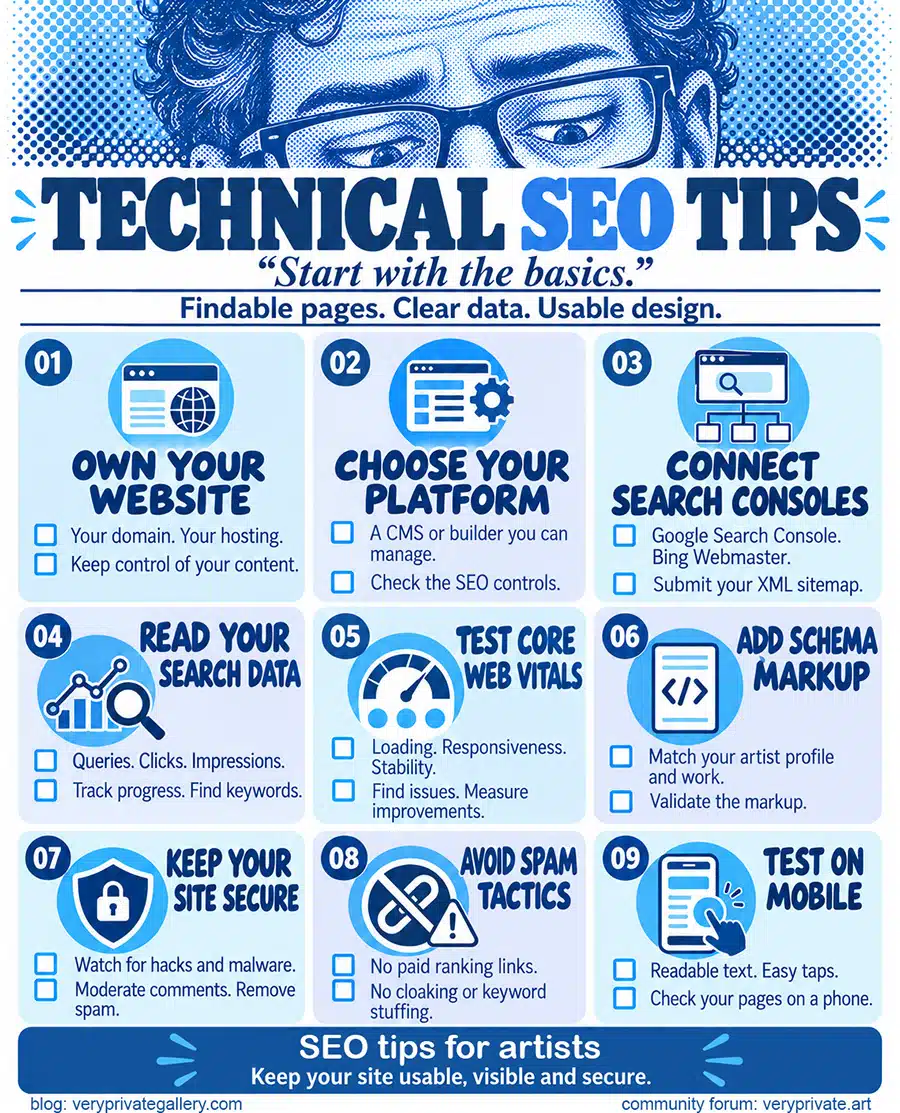
TECHNICAL SEO TIPS
Technical SEO is a lot about coding. Thanks to WordPress or other Content Management Systems (CMS), you only need to know the basics. And on a small note, you’ll need a desktop for complex tasks (e.g., deep technical audits, bulk image optimization), while on mobile you can handle simpler ones (e.g., publishing a quick blog post, responding to comments).
Own your artist website
To build any business, owning your content is vital, and art business isn’t an exception to the rule. If you’re in a position to register a domain and pay for hosting, treat it as a privilege and a crucial investment. It’s your permanent, optimizable corner of the web where you can attract visitors, collect emails, and sell directly. (You might be interested about our article on Domain Names ideas for artists)
Choose a system you can maintain
If you are not tech-savvy, you should opt for a drag-and-drop builder (e.g., Squarespace or Wix) rather than a content management system (CMS) (e.g., WordPress, Joomla, Drupal). Builders provide essential SEO controls, but they have a more limited toolset. Yet they are easier to handle.
Monitor and discover keywords
SEO without monitoring is like looking for a needle in a haystack :
- tracking your position,
- finding keyword opportunities.
As a starting point and sometimes largely enough, Google Search Console is the reference; it is free and accurate, but it lacks many features.
Rank Trackers
The best rank trackers provide a graph for each keyword so you can check the daily impact of your work on your website. These are my favorites:
- SerpFox offers a free plan for 10 keywords. Its lowest-tier plan costs $12 per month and covers 100 keywords.
- SerpBear takes a self-hosted approach. You install and run it on your own server, so you need some technical skills. It fetches data through a SERP provider. I use a provider called ScrapingRobot, which includes 5,000 free credits per month. The results are consistent, and the only cost is your time for setup and maintenance.
- SerpRobot sells SERP bots. 10 keywords can be checked per day as part of a 14-day trial. Paid bots cost $4.99 per month each for 75 keywords.
- Website Ranking Checker (Same team as Keywords Everywhere). It tracks rankings at no charge. The interface is straightforward. The missing part is that you cannot group keywords with tags.
With them, don’t just focus on the ranking, but also the CTR (Click Through Rate) and the Queries.
Keyword Research Tools
The idea is to find new keyword opportunities before you create content.
They indicate Search volume, Keyword Difficulty, Cost Per Click (CPC), and search intent.
- Keywords Everywhere: My personal favorite, as it is directly implemented in your browser, and so far, I have been fine with its estimates.
- Google Keyword Planner: You need to enter billing details in Google Ads to access the tool, but you don't need to pay for a campaign. It is a great tool to combine with Google Search Console.
- Ubersuggest: The Free version is good if you are totally new to this kind of tool. Otherwise, I would not advise it.
All-in-one tools
Ahrefs, Semrush, or Moz are All-in-One SEO Suites. They include both a Keyword Research Tool and a Rank Tracker, along with features such as backlink analysis and site auditing. Artists as Art businesses are usually small and can't afford to spend $100 a month.
Boost your website visibility
If the website isn't searchable, no one can see it. So you need visibility from somewhere else. The idea is to create content on your website that others want to link to without being asked to.
- Bored Panda: To make your art go viral, you must tailor your content to the platform.
- Pinterest: Each post can have a link to your website.
- Medium: Huge audience base.
- Substack: A free newsletter system perfect for reaching new audiences.
- HARO: A platform that connects journalists with sources willing to provide information. By responding to relevant queries, you can get your insights featured in reputable publications, earning valuable backlinks to your website.
- Social media in general: Having a large follower base helps, but most platforms try their best to keep traffic. The retention is so high that there won’t be many clicks to your website.
community forums
Set up Search Consoles
- Google Search Console is the most important because of Google Search's quasi-monopoly.
- Bing Webmaster Tools is incredibly useful, especially with their new tool, Clarity, which lets you see in real time how visitors navigate your website. It is incredibly useful for correcting navigation or design problems and improving the User Experience.
There are other consoles, such as Yandex, with useful tools. I personally don’t have any problem with that, but you are your own judge.
- You will need a Sitemap for them:
This is done in the Sitemaps tab on the left-hand side in Search Console. Your XML sitemap is usually available at your homepage URL, e.g., ./sitemap.xml or ./sitemap_index.xml.
Avoid penalties
You can put in all the effort you want on your content, but your article will not rank well if you get penalized.
- Bad links to your site: There’s nothing you can do if anyone wants to link to your website. If it’s from a bad source (drugs, adult, baiting…), it is officially efficient to disavow it, but many sources say you're just helping Google with their next algorithm update. So do it only if you get the manual action penalty alert on the Search console. Otherwise, you are just notifying Google that you have bad backlinks.
- Paid links: officially, again, paid backlinks won’t do anything good to your website and might hurt its ranking. I am telling more about this at the end of the Backlink article.
- Cloaking: There is some hidden content on your site, like white writing on a white background. It might be coming from a manipulation mistake, which can be detected and penalized.
- Keyword stuffing: You unnaturally cram the same words over and over just to force a higher ranking.
- Hacked site: Google detects malware, phishing, or that your site has been taken over by hackers.
- User-generated spam: You allow spammy comments or forum posts on your site that exist only to create links.
- Usability issue: Drops your rank if your site is difficult to read or tap on a smartphone.
Improve Core Web Vitals
On Google Search Console, you can review your website’s CLS as it is a ranking factor for Google. There, you will have reports on issues with ways to improve your website.
Technical stuff like LCP for loading, INP for responsiveness, and CLS for visual stability will require effort and patience on your part.
You’ll need to minify your code, use cache, perhaps even a CDN. The quality of your server is also important. PageSpeed Insights and GTmetrix are the norms for testing your website.
I personally use WP Rocket on this website, but there are other competitors that are just as good. If your server allows it, LiteSpeed cache is free and great.
Add Schema markups to your site
Schema markups are codes that tell search engines what your content is about. It acts as a label. With it, your website will tell them directly: "This is an artwork," or "This is me, the artist." For an artist's website, focus on schema like Person, VisualArtwork, and Product with Offer.
Note that schema markups won’t automatically produce results in search engines. It will help guide them.
There are ways to make them:
Use a plugin
If your site is on WordPress, install Yoast SEO or Rank Math. You'll be able to select schema types from a dropdown in their free version.
Use a free generator
Go to a free schema generator. Select the schema, fill in the fields, and the code is generated. Copy it into your page's HTML header or use a plugin like WPCode to insert it.
Ask your AI chatbot to generate it
For example, tell ChatGPT:
Write JSON-LD schema markup for an artist's About page. Use the Person type from schema.org. Here are my details:
Name: [Your Name]
Job title: [e.g., Visual Artist, Ceramicist, Printmaker]
Website: [https://yourwebsite.com]
About page URL: [https://yourwebsite.com/about]
Short description: [1–2 sentences about your work and background]
Profile image: [https://yourwebsite.com/images/your-photo.jpg]
Social profiles: [Instagram, Substack, etc. — full URLs]
Location: [City, Country]
Mediums: [e.g., oil painting, ceramics, printmaking]
Education or training: [optional]
Awards or recognition: [optional]
Output only the JSON-LD code. Do not add explanations. Make sure it is a valid schema.org Person markup.
Once made, better to test them on a validator.
Set your Google Business Profile
If you have a studio or sell locally, a GBP can be as valuable as a blog, if not more, and might contribute to your website’s authority. Keep in mind that the idea is to set a profile for a business that receives customers at a location.
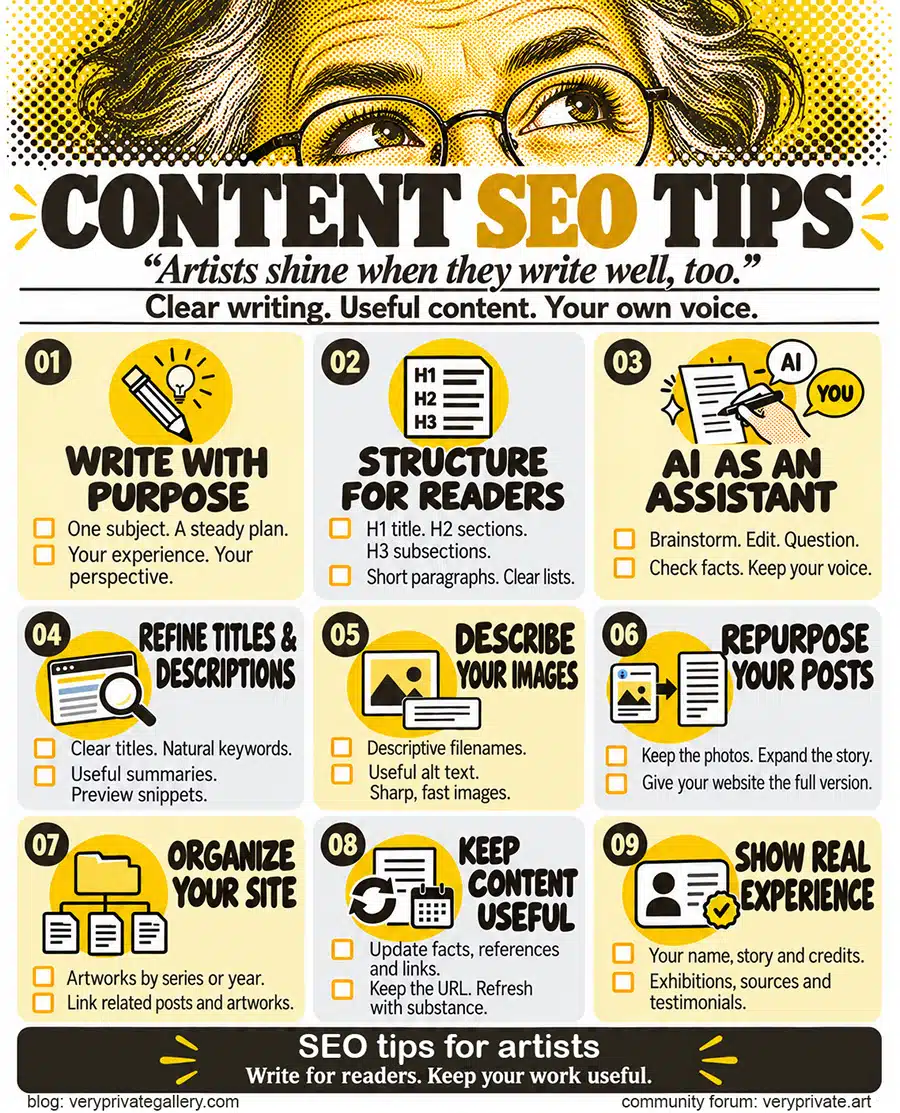
CONTENT SEO TIPS
That's where the artists shine if they can write well, too! Images and text (but now also video and sound) are the website's flesh. We made an article about the type of content an artist's website requires.
Plan on writing
Even today, algorithms can read images and voice; text is still the primary SEO parameter. Today, algorithms can even spot your writing style and from it, who is the author. So if you are writing, work on improving your style. On the other hand, if you are looking for a writer, find a good one and plan on a long-term collaboration. Lastly, if you plan to use an AI writer, use it only as an assistant for brainstorming, correcting, or suggesting problems in your argumentation.
Structure with clear Headings
- Find a title that can meet an audience (explained in the art keyword article)
- Stay within the subject.
- Find what others tell about it simply by looking at the top-ranked articles on Google.)
- Find your difference (position) and how your article can improve
Make a reader-friendly text
- Use bullet points or numerical lists.
- Use headings every time a new idea comes up:
- H1 for the main title
- H2 for a chapter
- H3 for subsections within the chapter,
- H4 for small ideas or argumentation.
- Break the text up into easy-to-read chunks.
- Prefer short sentences with connection words.
- Write short paragraphs (5, 6 lines max before another heading).
- If there is a citation to a source, add the link.
Focus on one niche
As a creative person, there is a good chance that you are experimenting with several projects in different directions. To make SEO work for you, you need to prioritize one theme and build around it (I explain how to do this here). You can expand to other areas once you rank on search engines for one set of keywords. SEO algorithms reward websites that are consistent subject-wise. Do not change direction whenever an opportunity shows up.
Be patient
Unlike the likes and shares on social media, you will not receive instant gratification on search engines. After applying SEO strategies to your website for the first time, it takes at least six months to see the results of your hard work. It takes a month to see some major improvements after each upload or update (traffic-wise). SEO is a game for patient players.
Stick to your plan
(hence, years)
As we just mentioned, SEO results won’t happen overnight. You need to be prepared to work even if you don’t see any results, ignore the random tidbits, and resist the urge to run off to new, promising platforms (e.g., a new social media site or a new site to sell art online). Instead, you must put one foot in front of the other and stick to your plan. You need to adjust your plan according to the data, but not change it.
Repurpose social media posts
Social media are seductive in so many ways, especially for artists. It gives instant gratification while promising to help you grow your business. But when their companies decide to change their terms and conditions, you can only click 'accept' and continue. Your content and influence could also be at risk when a social media company decreases.
The idea is to use the dopamine delivered to post on Social media and use the same content to populate your website. For example, if you build a portfolio on Instagram, use the opportunity to post on your website.
Optimize your titles & descriptions
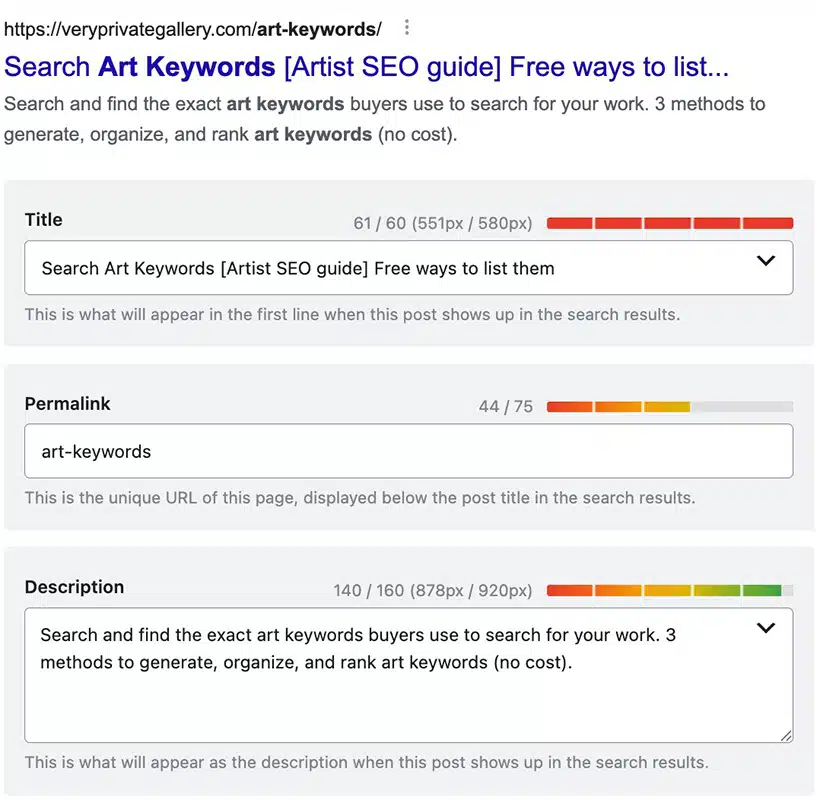
Your meta tags (Title and description) will show in social shares and search results. To rank effectively, ensure your primary keyword appears naturally in both tags, as long as it appears natural! (Google may rewrite both titles and descriptions)
- For the Meta Title, aim to be as close as possible to 60 characters (including spaces) so the full title appears in Google without truncation. Include the main article keywords, the URL, and the H1 title. Nevertheless, write a title that naturally includes the main topic.
- The Meta Description should be as close as possible to 160 characters, including the keywords. Avoid being salesy or overly enthusiastic; you are an artist, your website isn't Amazon.
Note that Google uses pixel width (not character count) to determine the maximum length. So to be more precise, you can:
- On WordPress, you can use plugins to preview how your Title and description appear in Google search results (Yoast, RankMath).
- You can also use this SERP preview tool to do the same thing manually.
Below is an example we are using for one of our articles with RanMath. The main keywords are "Art keywords":
Optimize your images
- Alt text primarily ensures images are accessible to visually impaired users. Images can appear in image search results by including the keywords of your article and a description of what the image is. This is a priority for visual-based content websites, so artists should use it.
- Before uploading your images, write your file names including descriptive information. Avoid spaces and underscores "_" and use minus "-" to separate words.
- Image size matters: Sharp images that retain the artwork’s proportions, suit their display size, and use compression and responsive sizing are important. Because visuals are a priority for artists, you cannot use images that are too small.
- Find a solution to compress your .png or .jpg into .webp or .avif (better compression, but fewer browsers support it). In WordPress, you have plugins that handle this, with a backup to the original file if the browser cannot support the format.
- And each article needs a thumbnail, or Featured Image, of at least 1200 pixels wide. Recommended size is 1200x628 pixels.
Organize your site
- Your website should be clearly organized, and especially your art. Traditionally, classification can be by year or by series.
- Your artworks should all include titles, medium, dimensions, year, descriptions, and availability or an inquiry link.
- You can have a blog section where articles can be about anything related to your art, but separate from your artwork.
More in our article about content for artist websites.
Avoid making AI Slop
AI-generated content is permitted. Studies have shown that, over time, articles solely made with AI don’t rank on Google Search. Google does not directly penalize content simply because AI assists it; Only lazy, unedited, mass-produced, not fact-checked AI slop is. Use AI carefully, check facts, make sure it’s accurate, and, as a cherry on top, add original experience. (article on seroundtable)
Emerging research suggests that articles written and detected as AI content are more likely to appear in the top 10 positions on Google. But the top positions 1-3 don’t, and these positions matter most. (source originality.ai)
Write evergreen content
Freshness: With time, a text loses its value, its coherence with the context in which we live. Even if the shelf life of a page on a website is much longer than a post on social media, you will need to:
- Revisit it every year or two (check the facts, update broken links, or replace outdated references).
- Try writing content that's as evergreen as possible, meaning it doesn't reference a specific date.
- Identify pages losing ranking in Search Console (which might be because the content is getting old and losing its value to readers). Update the references to more actual events or content.
- Refresh the publication date only when substantive changes are made.
- Keep the same URL when updating.
- Link from newer posts back to the older content.
Stay relevant
Being relevant is simpler: when writing an article, always keep its title in mind; writing very long content doesn’t hurt the ranking as long as it stays on the subject. If you feel like continuing to write, but it is straying from the title's meaning, make another article with a different title. Your site will grow naturally with this technique.
Because your posts should be related to the art you are making, link the related posts to the artworks.
EEAT or be eaten
E-E-A-T (Experience, Expertise, Authoritativeness, and Trustworthiness) is one of the ways Google perceives if your site is real and credible. Here is a list of things to do:
On your site:
- Show your face, real name, and story on your Bio or About page.
- List past exhibitions, awards, and add a link to them when possible.
- Add clear and relevant contact details.
- Use your own photos; you can keep the GPS coordinates in them.
Off your site:
- Get featured by galleries, fairs, or local media. Ask to link to your site.
- Keep your name, bio, and photos the same everywhere on the Web.
- Collect real testimonials from collectors or curators.
NETWORK SEO TIPS
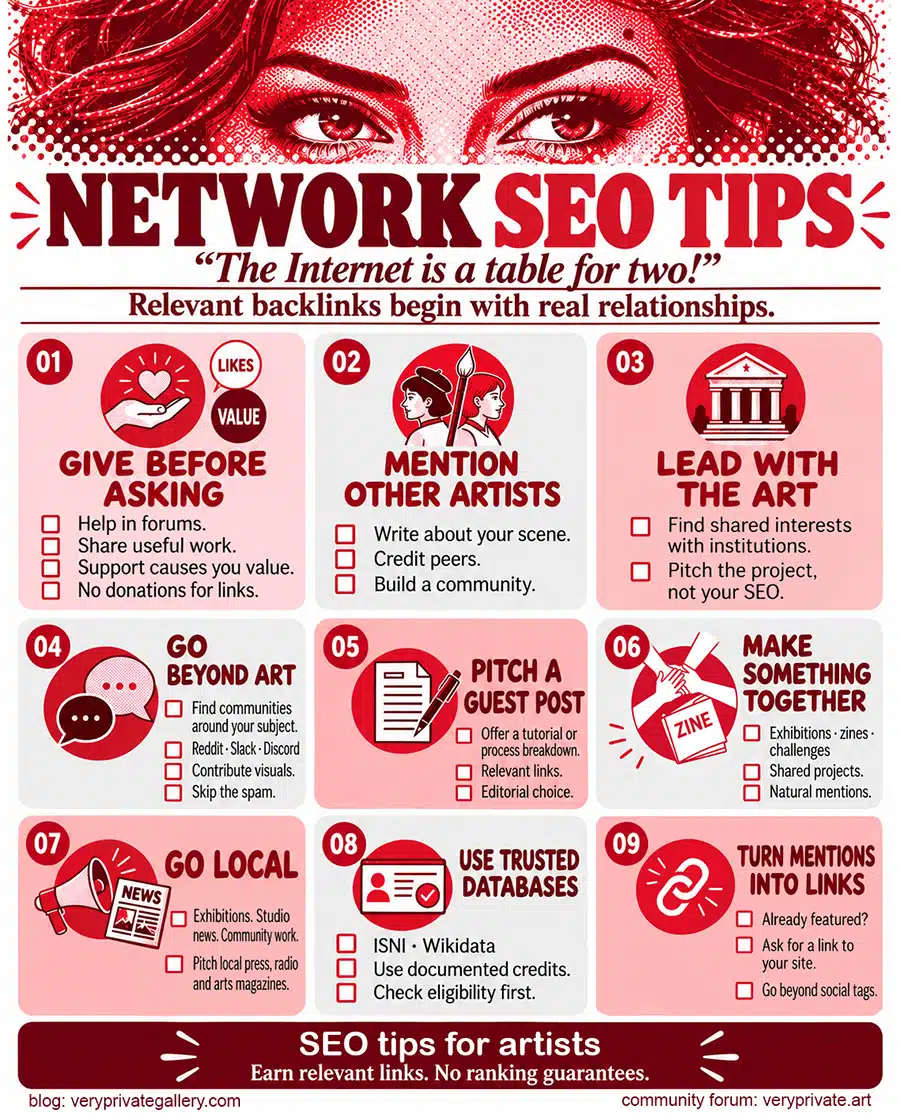
You will need to be in contact with others. The best way to get a link to your website is to get to know the person behind the other websites. This part is important because your website needs backlinks to build authority and rank higher in search results. And the best way is through networking. (Check our article about backlinks)
Give before asking
The easiest way to start a relationship is to do something for someone without asking for anything in return. Giving likes or having a sweet tongue won't do anything.
- Engage authentically on forums, offer to write a guest post with real value, or collaborate on a project that benefits both parties.
- Have the person's heart: The key here is to show your involvement by making a small donation to an association or Patreon/Substack page, for example. I don’t really recommend this strategy if it’s purely transactional, as it can backfire and is considered unethical by Google.
Mention other artists
Let's say you are an urban artist in Boston. You fall into this category of urban artists in this region. To rank high, you need to have some kind of credibility or expertise in it. How do you gain credibility? You can write about other artists in your region and put yourself among them, or collaborate with or build a community of like-minded artists. It is a bit counterintuitive for an artist. That's one of the reasons art platforms outrank artists' websites. Unlike with most social media, SEO is not just about you.
Be genuine with art institutions
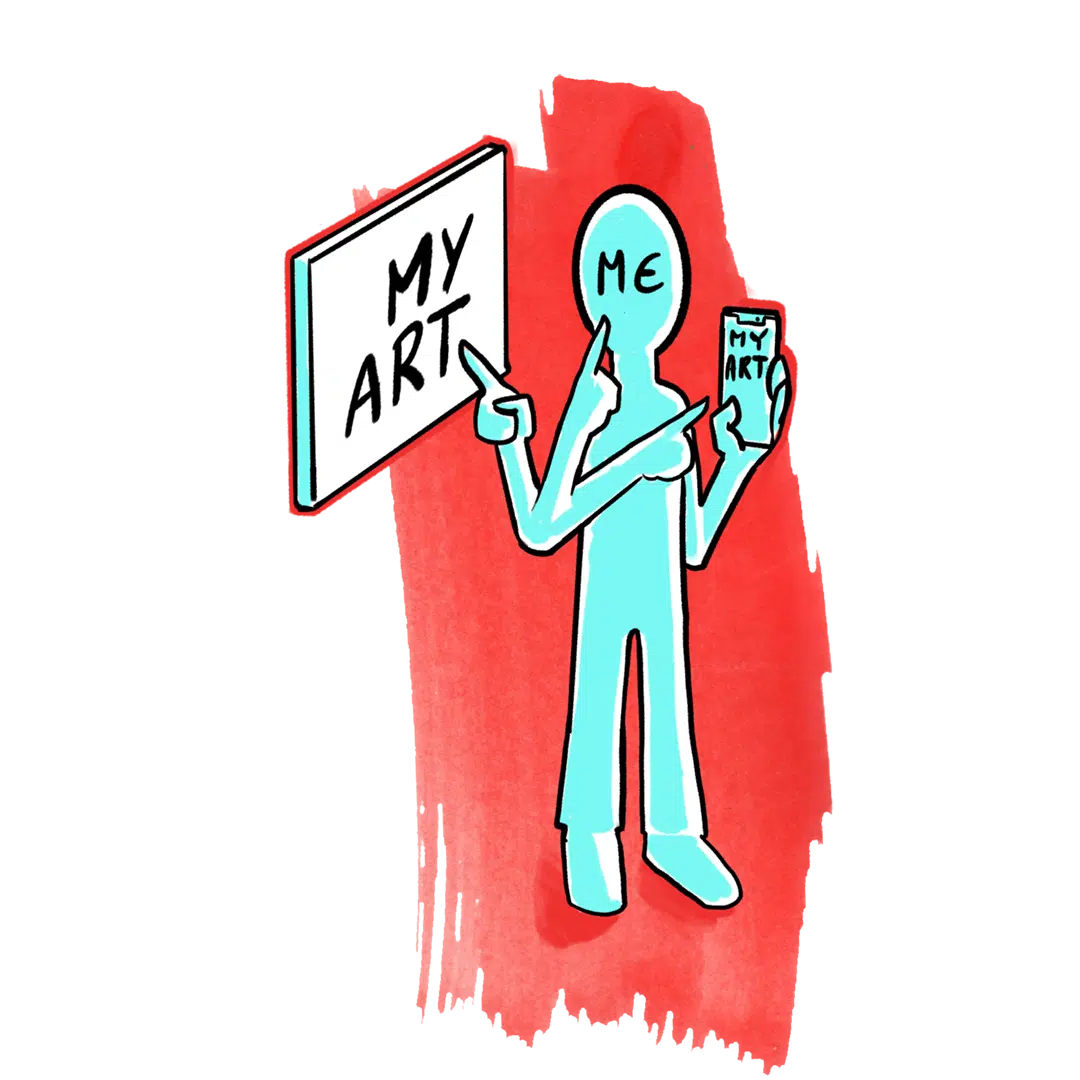
This is my personal experience: institutions and businesses in the Artworld don't care whether you rank at the top on Google. This is especially true in Europe, where branding and marketing in art are seen negatively. As part of your marketing, SEO does not give you a head start in the world of institutional art. Many institutions like museums, art schools, and foundations still follow this moral value.
SEO is more for artists who want to be their own producers and sell directly. Unless you can collaborate closely with a gallery, avoid mentioning your SEO strategy; they will see it as a lower standard or, worse, a threat.
Reach out of the art sphere
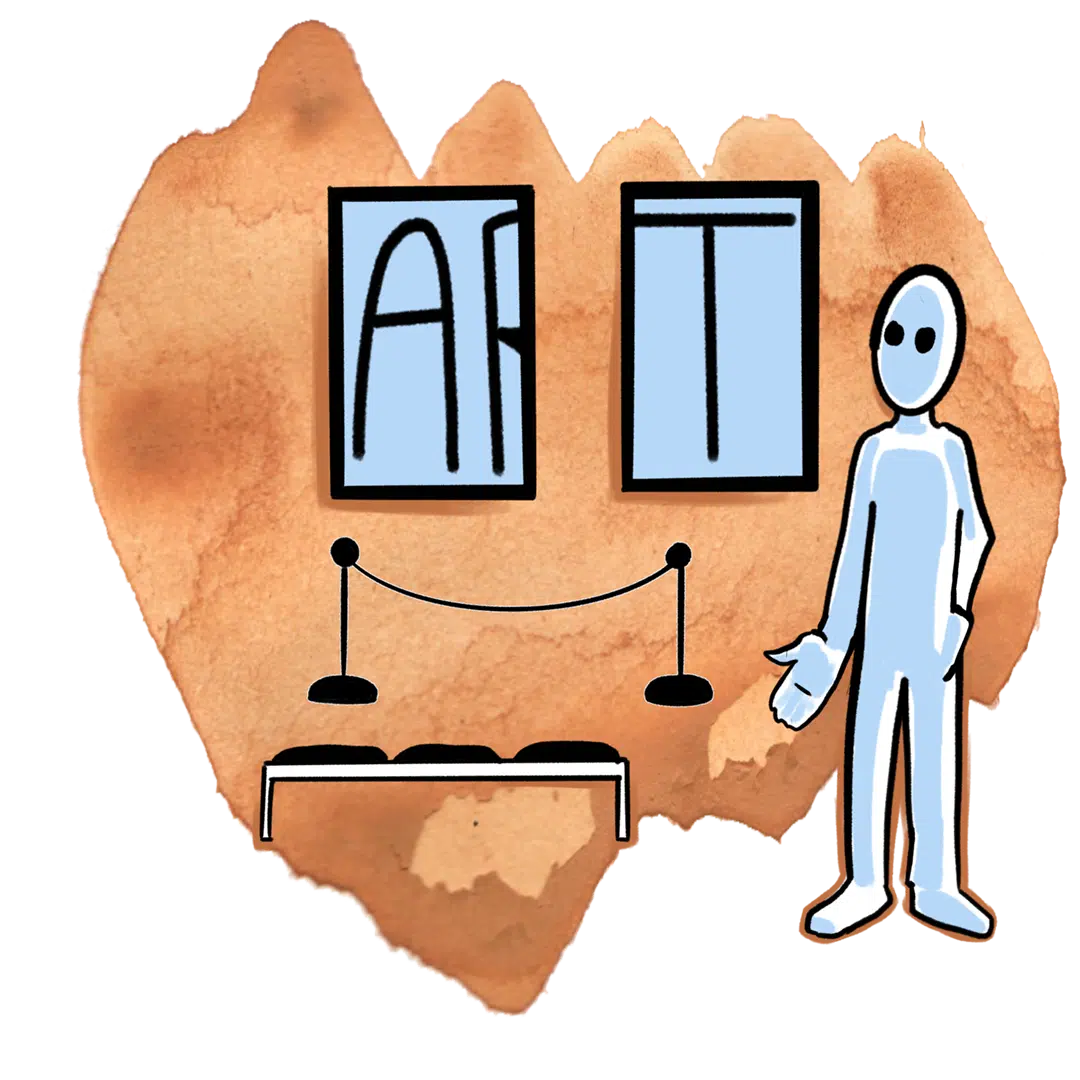
Artists face intense competition, and galleries won't promote your site; the best way to generate interest is to reach out to people involved in what your art relates to, but outside the art sphere. Become an active participant in Reddit, Slack channels, or Discord servers specific to this subject. Reply to the topics with your visual content.
Pitch a guest post
Art blogs and creative sites often need contributors. Humbly offer a tutorial or process breakdown. If they allow it, a link to your site comes naturally.
Collaborate on a project
Joint exhibitions, zines, or online challenges create natural opportunities for mutual linking and cross-promotion that benefit both parties.
Do local digital PR
Tell local papers, radio, or arts magazines about your exhibition, studio news, or community project. A short press release helps.
Get listed in trusted databases.
Not an easy thing, but you work on adding your name to ISNI.org or Wikidata. Note that it won't be possible if there is nothing official about you (publications, books, participation in an important exhibition, museum acquisition)...)
Turn mentions into links
If a blog, gallery, or media site writes about you but doesn't link to your site, politely ask them to add one. Social media mentions rarely help SEO.
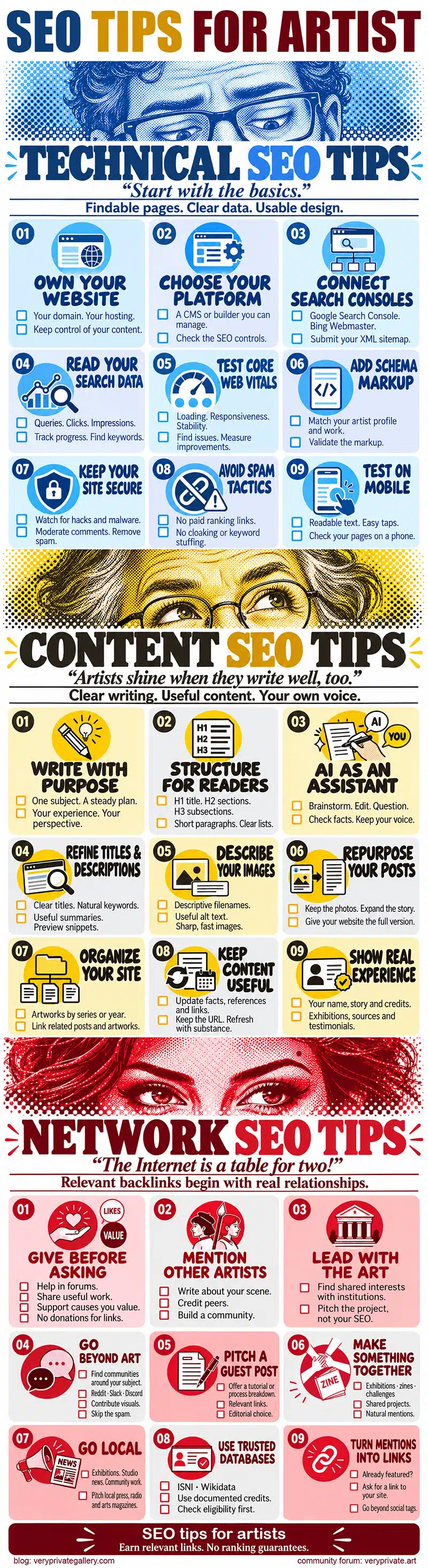
Condensed Infographic of the article:
Last updates:
(Oct 2026): basically rewrote most of the things, and added new infographics
(Sep 2026): Refining (14) about Meta Tags